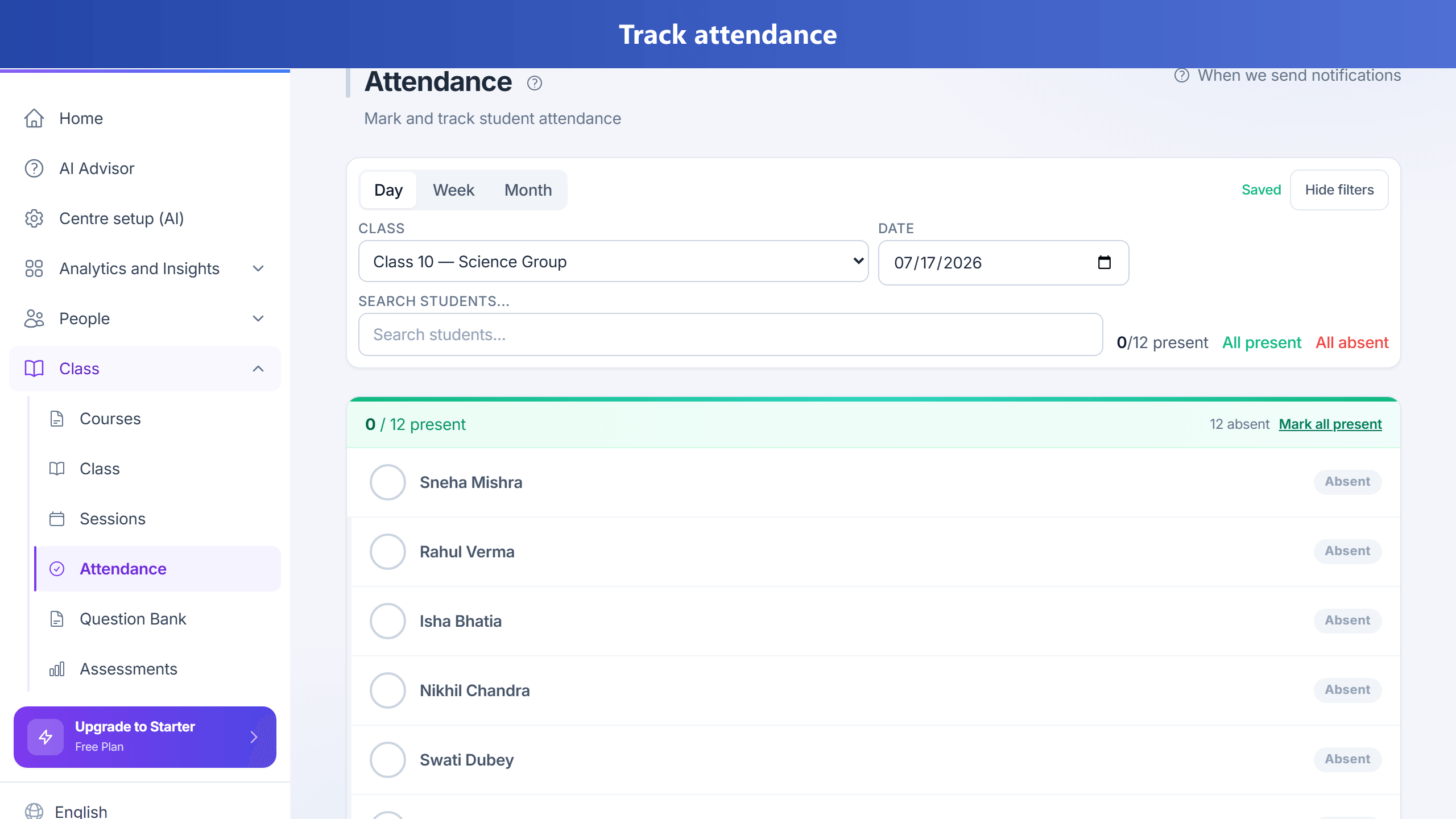
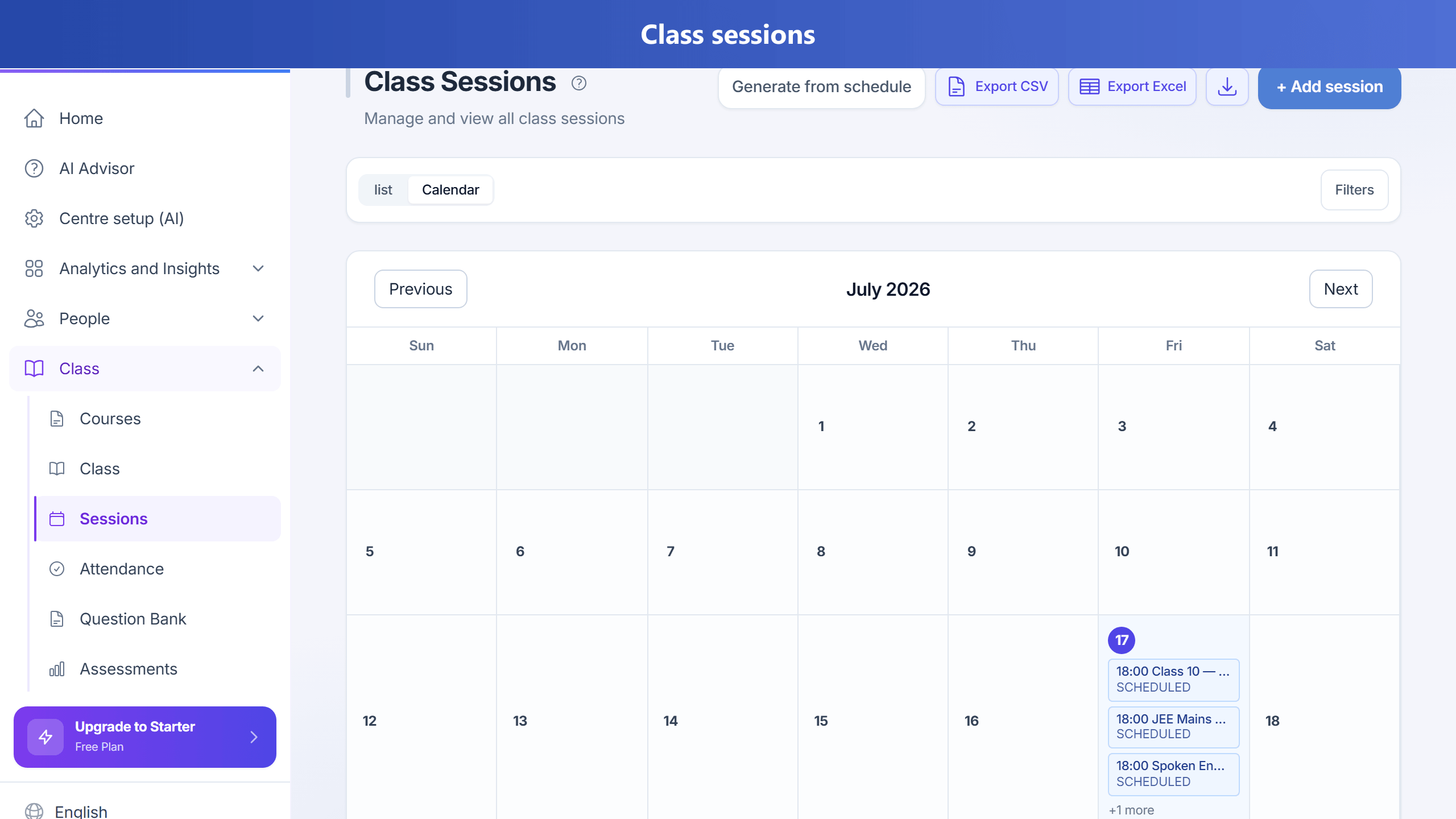
Mark class attendance by day, week, or month — teachers can do this from their own login.Sessions calendar and list — generate from schedule, then open attendance or notes.
Steps
Create a class yourself from Classes (not automatic).
With class grouping on (default), adding a teacher does not invent a “Default Batch”.
Tap Create class → name it (e.g. Class 10 Maths) → assign teacher → add students → set schedule.
On Pro+ (plan flag teacherRecommendation), Suggest best teacher ranks teachers for the subject and timetable you entered.
Only in simple one-class mode (Settings) does TuitionDesk create a single class for you when you add your first student or teacher.
Create batches and assign students and teacher.
Set class schedule for each batch. Schedule length is limited to 3 years; generate sessions in windows of up to 12 months per run. Manual session dates cannot be more than 2 years ahead.
When editing a batch, the subject list includes subjects for the selected course and subjects not tied to a course, so you can always pick a default subject when courses filter would hide uncourse subjects.
When you create a class session, if the batch has a default subject, the topic/focus field suggests curriculum topics; you can type a new name and it is added to that subject when you save.
Mark attendance daily from the Attendance page: use the bordered filter panel (class, date, search) like other fee and student lists. Day view autosaves a few seconds after you change a mark. Week and Month views require the plan feature richAttendance (admins enable it under Plan configuration); otherwise only Day view is shown. Parent leave notices appear on the same page — use Ack & mark absent to acknowledge and mark the student absent on class days that have already happened.
When “Notify parents on absence” is on, parents get one email/WhatsApp/SMS and one app push per student per day when the student is first marked absent — not again if you re-save the same day or autosave repeats.
Home uses a light premium palette (soft white/slate cards, mild blue accent) so daily metrics stay easy to scan without dark or rainbow tiles.
Home cards (For you, Absence, Academy Overview, Today’s classes, Recent activity) share one mild premium look: white surfaces, soft accent strips, slate text, and neutral row actions.
Home Absence block links open the Attendance page (with date / class when known) via in-app navigation — Mark attendance and View attendance no longer reload Home.
Use absence report to find at-risk students quickly.
Finding classes and using row actions
Search: the Classes page has a visible Search box above the list to filter classes by name, plus a Grid/List toggle. Students, Teachers, and Fee pages use the same filter toolbar.
Class card chips: each class card shows aligned actions — setup shortcuts (+ Students, + Teacher, + Schedule when needed), + Payment, + Fee plan, and Class insight (opens the class page). More (⋮) collapses Edit, Delete, and Generate sessions from schedule into a menu (opens on click or arrow keys; closes on Escape).
Delete confirmation: Delete (shown in red) opens an "Are you sure?" dialog and only removes the class after you confirm; press Cancel or Escape to back out. Teachers, Students, and Fees use the same confirmation.
Empty states: when a search or filter returns nothing, a friendly card offers a "Clear filters" button to show everything again.